

Virtual Shopper
Amazon Fire TV Stick 4K with Alexa and TV Guide with Live TV
Amazon Fire TV Stick 4K with Alexa and TV Guide with Live TV
Couldn't load pickup availability
Amazon Fire TV Stick 4K (8 GB Wi-Fi 6) – Product Description
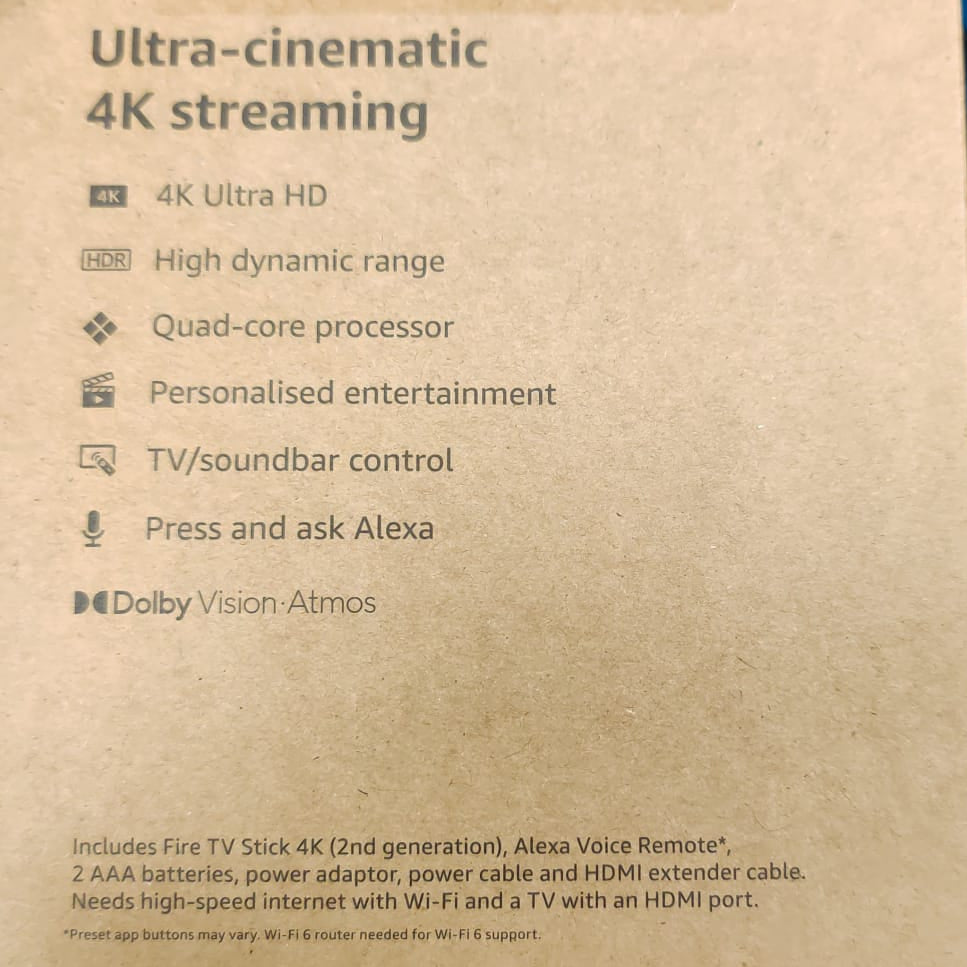
Experience advanced 4K streaming with the latest generation of Amazon’s best-selling Fire TV Stick. Enjoy faster, smoother performance and enhanced picture quality.
Key Features
• Next-level 4K streaming: Get vibrant 4K Ultra HD visuals with support for Dolby Vision, HDR10+, and immersive Dolby Atmos audio.
• Wi-Fi 6 support: Stream in smooth, stable 4K—even when multiple devices are connected to your network.
• Cinematic viewing: Enjoy rich colours, sharp contrast and theater-like sound quality at home or on the go.
• Endless entertainment: Access thousands of films and TV episodes from Netflix, Prime Video, Disney+, YouTube, Apple TV+ and more. (Subscription fees may apply.)
• Portable design: Plug it into any TV’s HDMI port to take your apps and entertainment wherever you go.
• Live TV in one place: Browse live TV, news and sports from a unified TV guide. (Some services may require subscriptions.)
Apps & Features
- BBC iPlayer
- All 4
- Netflix
- Prime Video
- YouTube
- Apple TV+
- Disney+
- Movie rentals available
Connectivity
- HDMI output
- Wi-Fi enabled (Wi-Fi 6 compatible)
Supported Photo Formats
- JPEG
- GIF
- TIFF
Included
- Fire TV Stick 4K
- Remote control
Simple to set up and use

Step 1
Plug Fire TV Stick 4K directly into your HDMI input.

Step 2
Attach power cable
and plug into wall outlet.

Step 3
Pair remote with TV, connect to
internet and enjoy.
Technical details